1. Find the staff
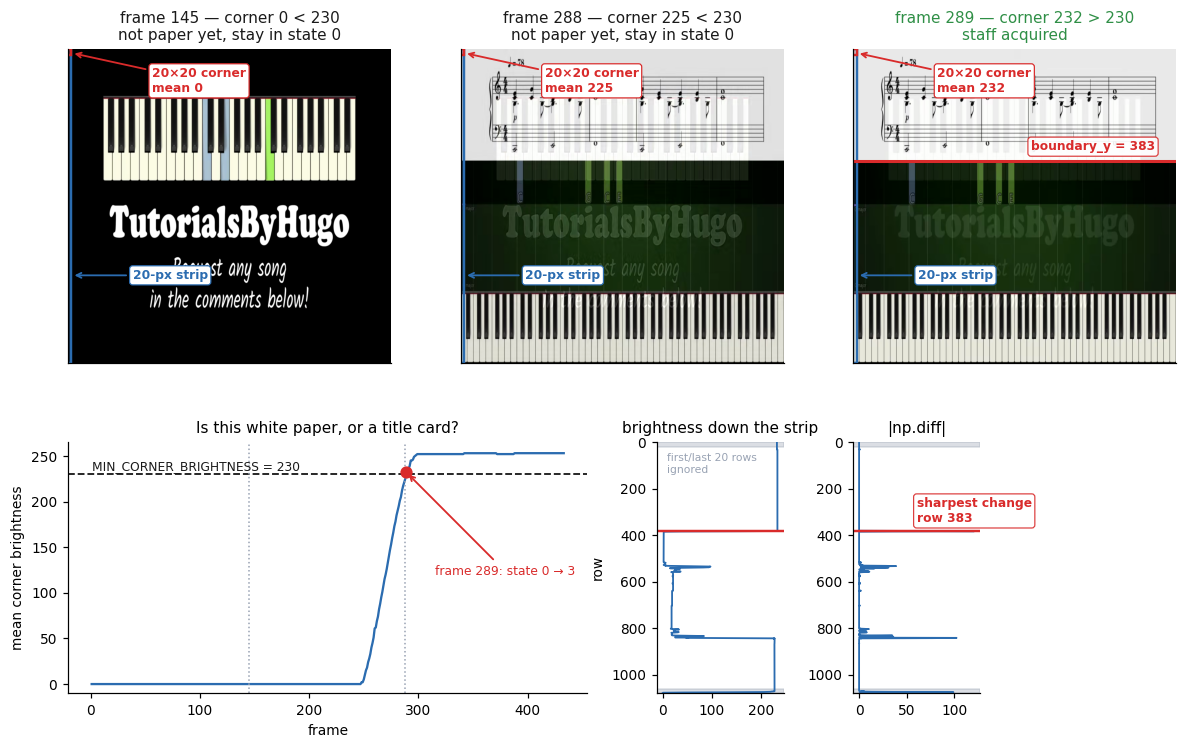
A narrow strip at the left edge of the frame is checked for brightness. Bright means we are on white paper rather than a title card; the sharpest vertical brightness change inside that strip is the bottom edge of the sheet music. Everything below it — falling notes, keyboard, lyrics — is discarded.
2. Track the playhead
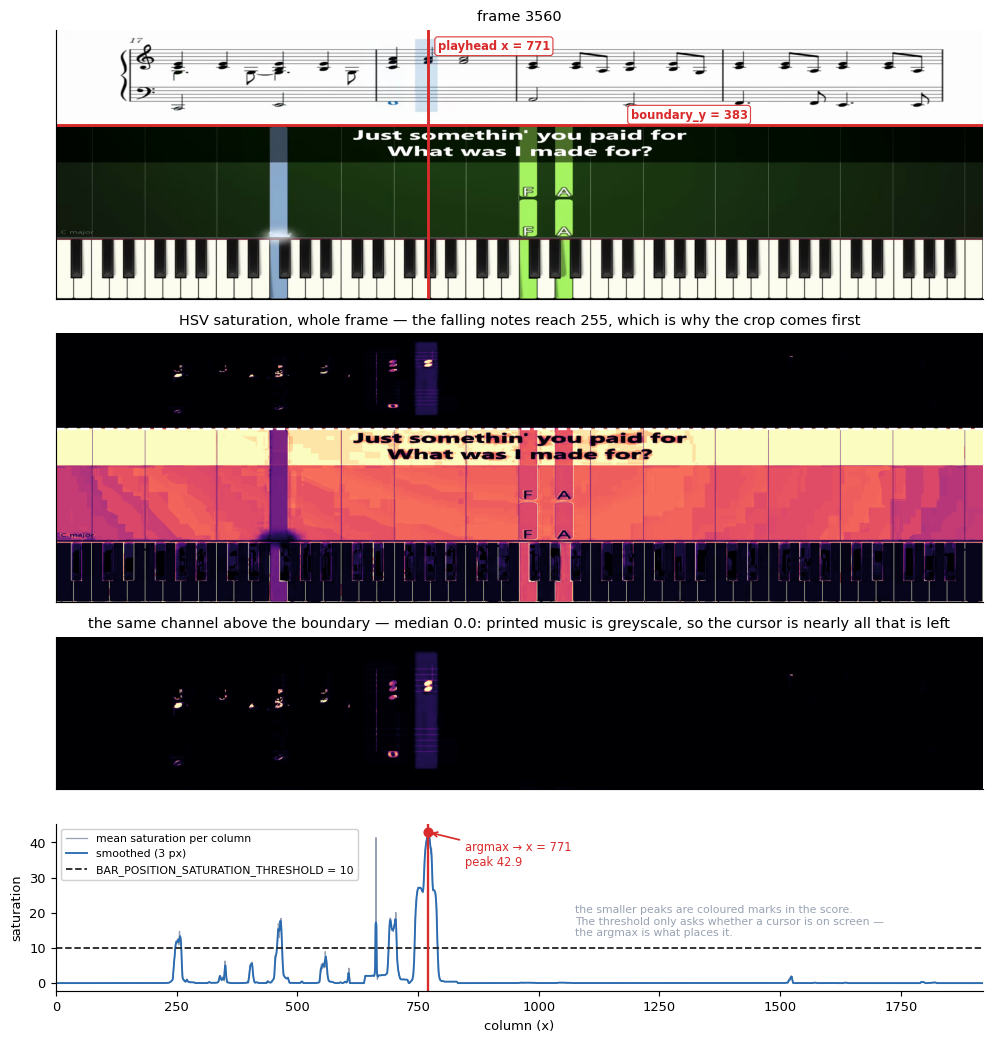
The staff is greyscale, so the cursor is the only strongly saturated thing in the crop. Converting to HSV and taking the column with peak mean saturation locates it in one pass, with no template matching and no colour to tune per video.
3. Capture each half at the right moment
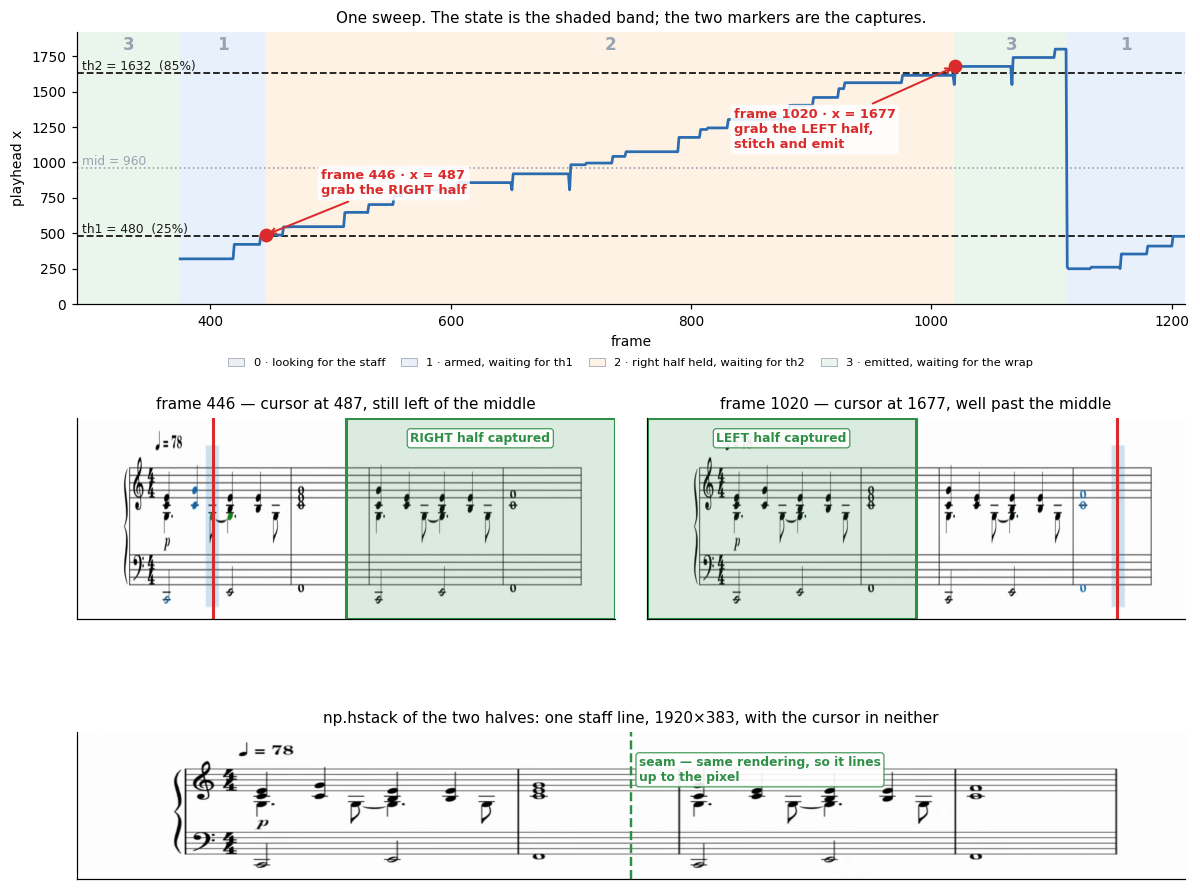
As the playhead sweeps left to right, the right half of the staff is saved once the cursor passes 25% of the frame width, and the left half once it passes 85%. Neither capture has the cursor in it. Stitching the two halves reconstructs one complete, cursor-free staff line. This is the whole trick.
4. Lay out pages
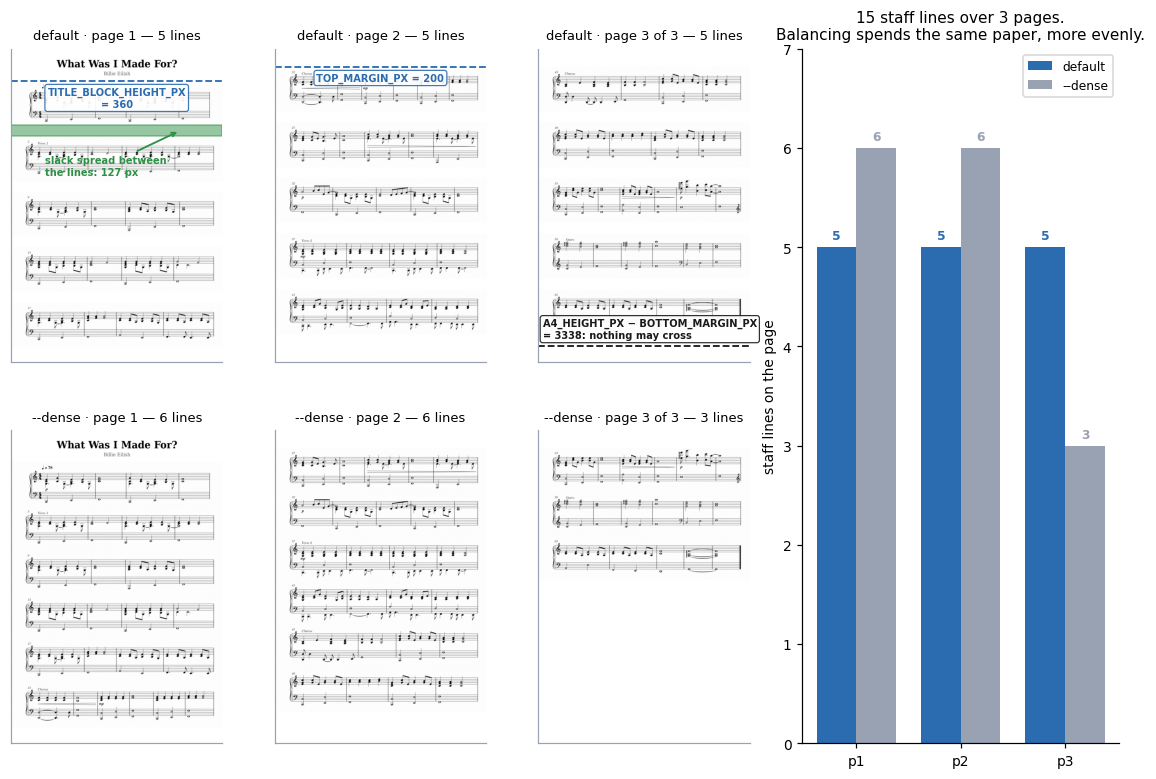
Staff lines are scaled to A4 width at 300 DPI and stacked until the next one would overflow the page, then a new page starts. The lines are spread evenly rather than crammed, so a page never ends with a gap that looks like a line failed to fit.
Where it breaks
The technique rests on one assumption: the staff does not move during a sweep. When that holds, the seam between the two halves is exact — they come from the same rendering of the same music. When it does not, the halves come from different music and the stitch is visibly wrong. Videos that scroll continuously rather than a screenful at a time need an entirely different approach.
For the reasoning behind the design — why inpainting and frame compositing both fail here, why the two thresholds are asymmetric, and what the whole thing costs — see Why split capture.